Report and presentation example
Describe the audience, the material to use and the result you need. Review the finished file, then ask for changes in the same conversation. For help with opening previews and downloading files, see Working with files.
Generate a report
Section titled “Generate a report”These two recordings start in fresh conversations with source notes and a summary of fictional sensor readings. CLIO creates the files during the recorded runs. Each clip shows the request, agent activity and file arrival, followed by a brief look at the result.
Put the sample notes and
sample summary in a sources
folder in your workspace, then ask:
Use the sensor notes and summaries in sources/ to create a polished two-page Word report for our team meeting. Include a comparison chart, the limitations and next steps. Save the editable report and a PDF preview. Clearly label the sample data fictional.
Download the actual recorded output: Word report · Report PDF.
Generate a presentation
Section titled “Generate a presentation”Use the same source files and describe the audience, length and content you need:
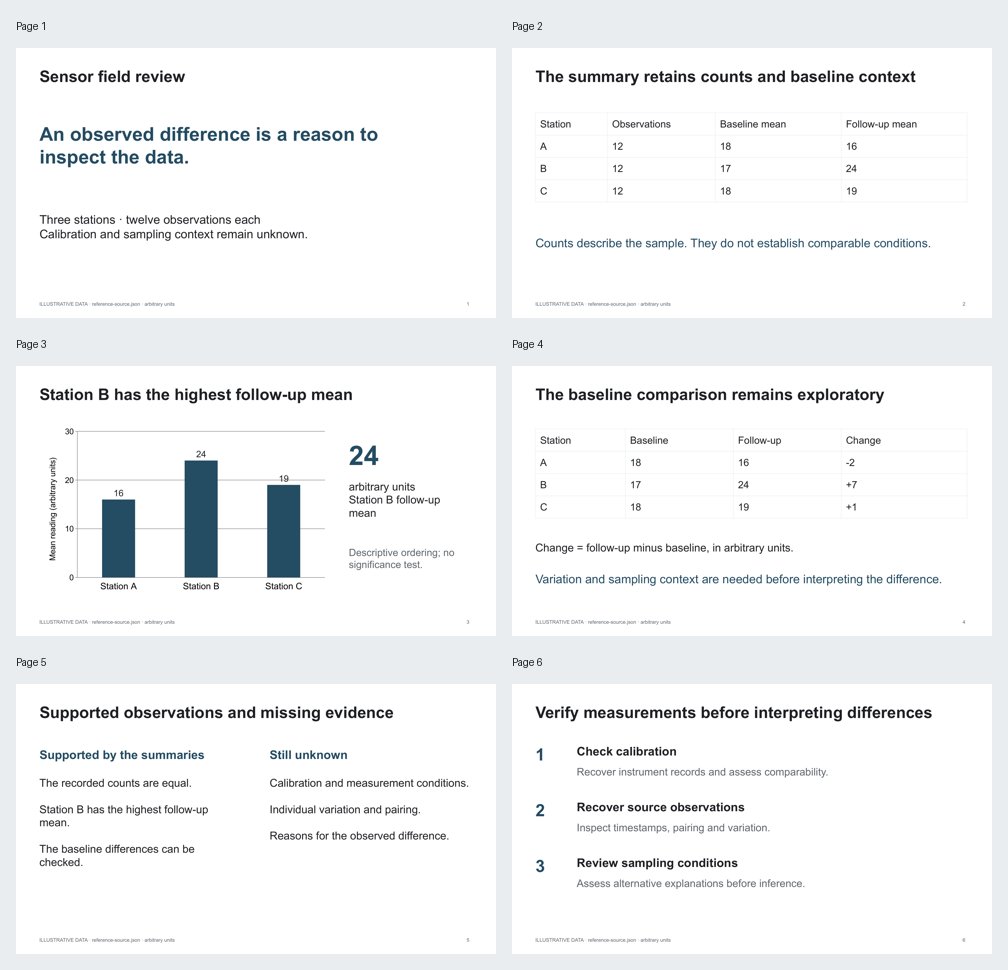
Use the sensor notes and summaries in sources/ to create a six-slide team briefing. Include a comparison chart, key limitations and next steps, with speaker notes. Save an editable PowerPoint and a PDF preview. Clearly label the sample data fictional.
The first draft needed better cover contrast and more space below the final heading. The recording includes the follow-up request and CLIO’s correction. Download the corrected PowerPoint and Slides PDF.
Open the result and check the wording, tables, figures and layout. Ask for any corrections, then review the updated version before sharing it. Download the editable document if you want to continue in Word or PowerPoint.
More examples
Section titled “More examples”Revise an existing report or presentation
These recordings use fictional sensor observations. Download a reference file below, add it to a message, and adapt the request to your own work.
| Example | Starting file | Revised file | Revised preview |
|---|---|---|---|
| Two-page evidence report | Word report | Revised Word report | Report PDF |
| Six-slide briefing | PowerPoint deck | Revised PowerPoint deck | Slides PDF |
Revise a report
Section titled “Revise a report”Say what should change and what should stay. This request updates the report’s recommendations while keeping its existing structure:
Make the next steps request calibration records and a review of the raw readings. Keep the headings, tables, figure and theme. Save a revised Word document and PDF preview, and preserve the original.
Revise a presentation
Section titled “Revise a presentation”Reference the deck and describe the change. For example:
Revise the final recommendations and speaker notes to make clear which findings still need calibration and raw readings. Keep the theme, charts and editable tables. Save a revised PowerPoint file and PDF preview.
The revised downloads include the corrections shown in the recordings. Compare them with the starting files to see how the text and layout changed.
Compare the starting report and presentation layouts
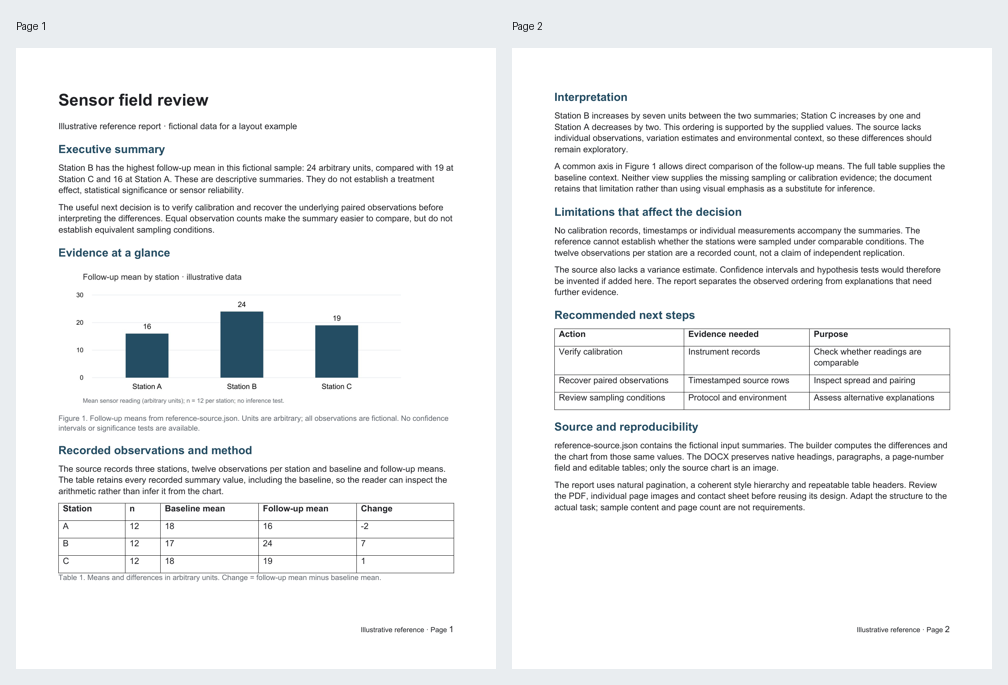
Source data and scripts for the fictional examples
The fictional source summary, report builder and presentation builder are available if you want to explore how the starting files were made. Their PDFs are also available: report and presentation.
Review a saved research briefing
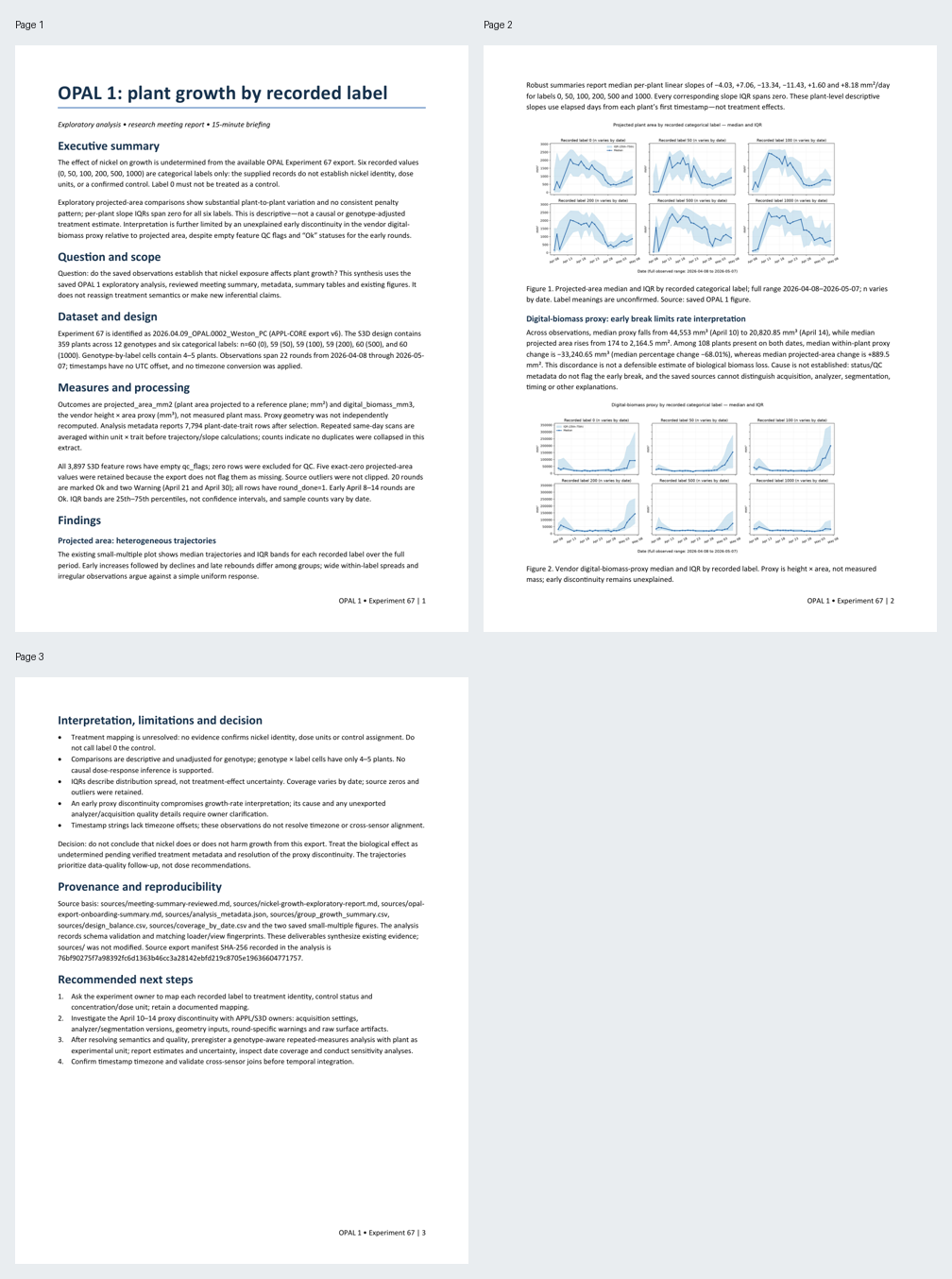
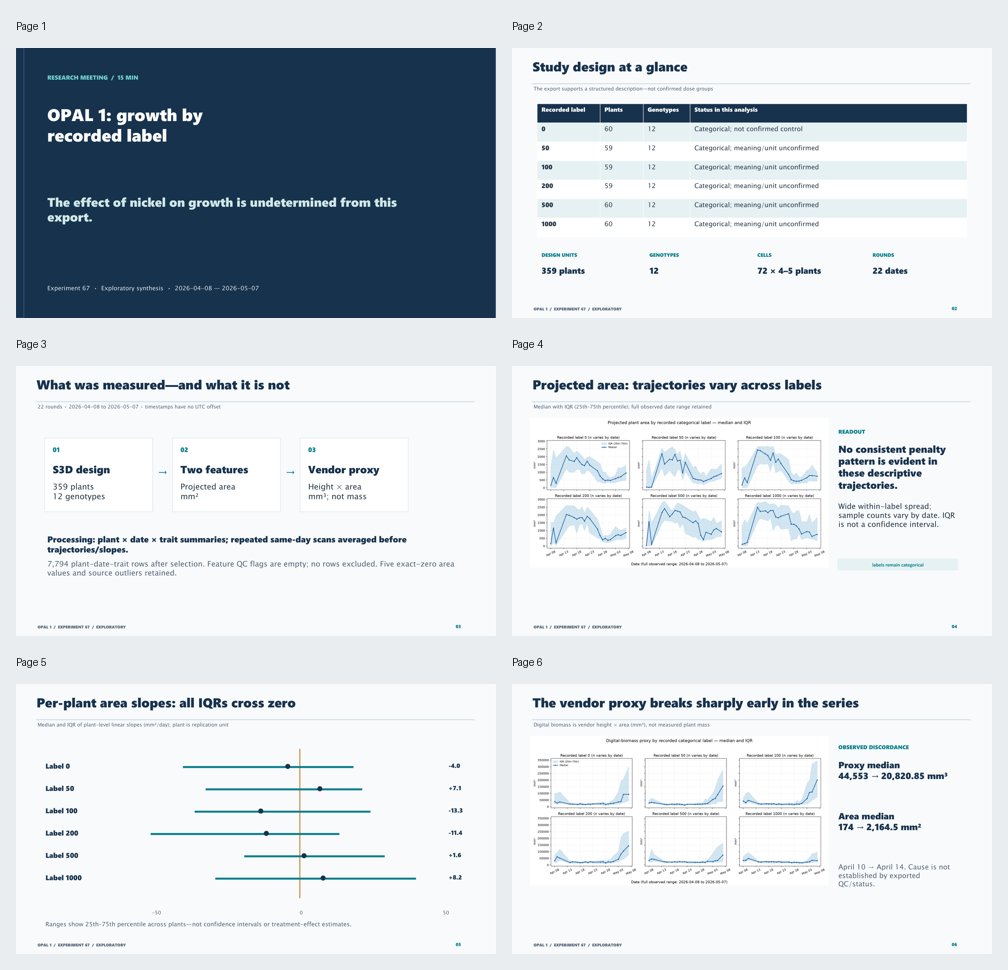
The example uses saved analysis and figures from OPAL 1, a plant-growth research dataset. Its three-page Word report and eleven-slide meeting deck include speaker notes, an editable design table and a comparison chart. The report and slides preserve unresolved treatment labels and an unexplained early break in a vendor proxy, so the interpretation remains tied to the available evidence.
The initial drafts were revised after visual review. This recording shows review and navigation of the saved results after those corrections.
| Deliverable | Editable file | Reviewed PDF |
|---|---|---|
| Three-page research report | Word report | Report PDF |
| Eleven-slide meeting briefing | PowerPoint deck | Slides PDF |
See the reviewed report and slide overviews