
Background work
Ask CLIO to start a long operation and continue with something else. When the operation accepts background execution, the agent receives a task handle immediately. That handle identifies the work while it runs and after it finishes.
Watch two agents work together in complete portable conversations: inspect a peer’s work, exchange reviews, run a background calculation and answer a Question after the agent becomes idle.
Start work, then keep going
Section titled “Start work, then keep going”Start the data download in the background. While it runs, inspect the existinganalysis script and list what needs to change. Tell me when the download finishes.This is an example request, not a recorded transcript. The tool must support background tasks; an ordinary tool call does not become asynchronous merely because the prompt says “in the background.” See Tools and sources.
- The tool accepts the operation and returns its handle and current status.
- The agent can call another tool, inspect progress, or wait for a result.
- When the task settles, CLIO delivers its result automatically. A busy agent receives it before its next model iteration. An idle agent wakes to process it.
An iteration is the next model call within ongoing work. Feedback and task results can enter there; they do not have to wait until the entire response to your original request has finished. A long foreground tool call still needs to return before that next iteration can begin.
Open Work to see what is running
Section titled “Open Work to see what is running”Open Work in the session’s information surface. Background work lists tasks with their name, kind, status and available progress. Open a row to read its assignment and result. A subagent’s row also opens its conversation.
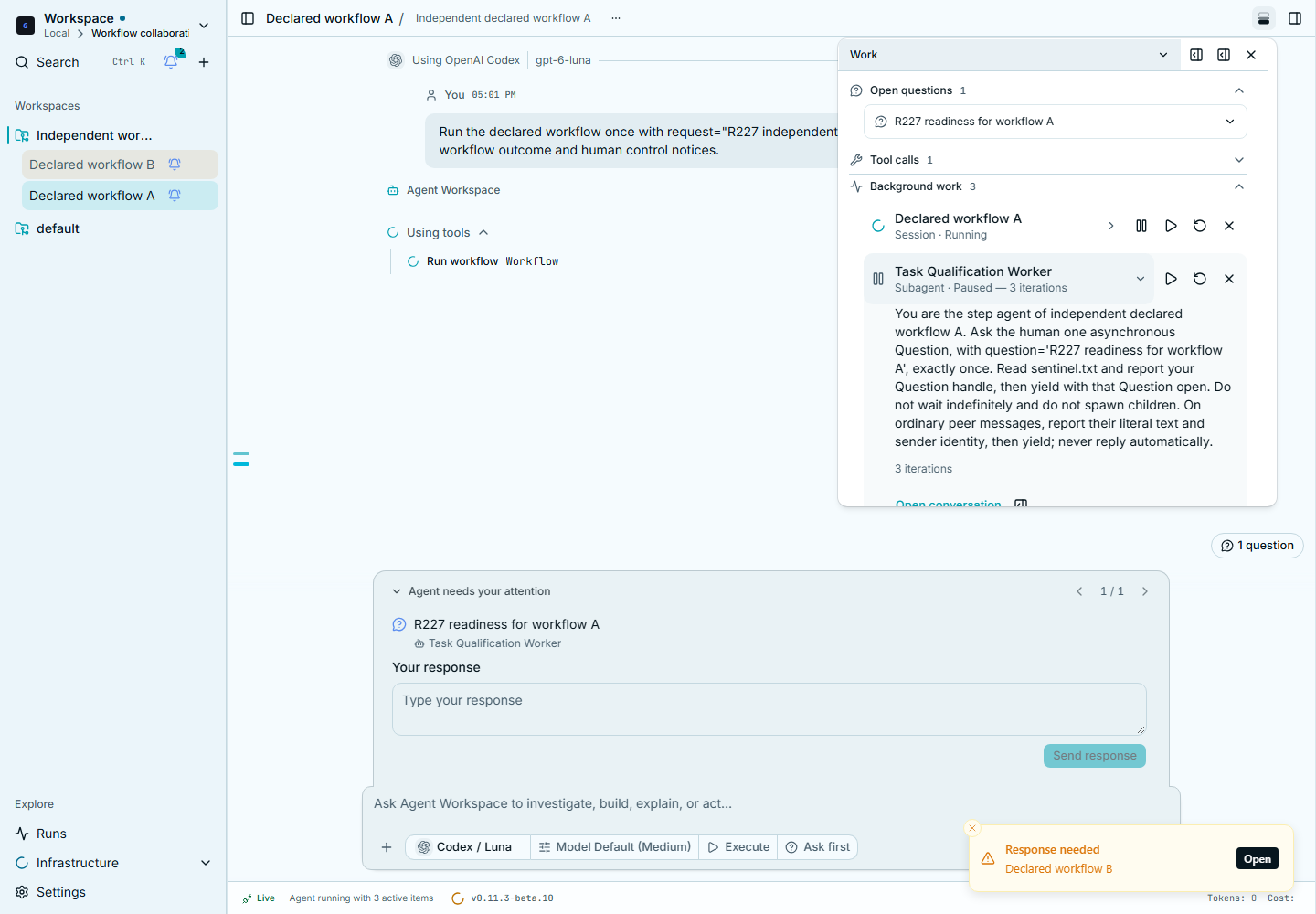
Assignments and results stay behind the row disclosure. Technical details contains the handle, host and backend state when you need to diagnose an issue. The observability view and Runs controls expose the same underlying work.
Choose Show completed work to inspect earlier outcomes or restart a completed subagent. Load more completed work reads another history page. Current work stays visible while you browse history; Hide completed work closes that disclosure without dismissing or cancelling any task.
Stop, pause and cancel
Section titled “Stop, pause and cancel”| Action | Effect |
|---|---|
| Stop | Stops the current response and its waiter. Background tasks continue and may wake the agent later. A foreground Shell is cancelled and cleaned up. |
| Pause | Holds the selected agent’s model execution and context until resume. Background work continues; messages and results accumulate. |
| Cancel task | Requests cancellation. A Subagent cancellation also cancels its descendants. Settlement waits for the required cleanup. |
Stopping a response does not cancel a download. Pausing a child does not kill its running command. Use the task’s cancellation control when you want to end the work.
Completion, failure and questions
Section titled “Completion, failure and questions”Completed, failed, cancelled and interrupted outcomes remain inspectable. A failed task can notify the agent through the same delivery path as a successful one. The stored outcome is not a promise that the work succeeded.
A task may need an answer or permission while it runs. Answer the attributed question in CLIO. Pausing one agent or waiting for one task does not stop every other task in the workspace.