
Observe and wait
Use observe when you want to check progress and keep working. Use wait when the next action depends on a result. Both accept the same task handles, including downloads, indexing, shell commands, MCP tasks, subagents and finite session runs.
Ask for the progress you need
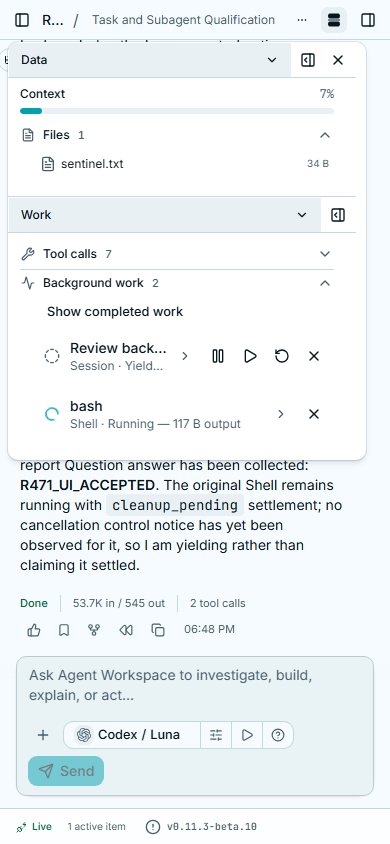
Section titled “Ask for the progress you need”Show the active tasks and their assignments. Read new output from the conversionand the worker, then continue reviewing the files. Do not wait for them to finish yet.This example requests a snapshot and incremental observations. Observation does not collect the completion notice. A task can still deliver its outcome normally.
Wait for one result or several
Section titled “Wait for one result or several”- Start the required operations and keep their accepted handles.
- Wait for any when you can use the first settled result. Wait for all when the next step needs every selected task.
- Inspect each outcome. A failed task and an invalid handle have their own errors; they do not cancel other members of the wait.
- Continue with the available results or wait again on the pending handles.
Wait for either the download or the analysis worker. Use whichever settles firstto prepare the next step, then collect both results before comparing them.“Settled” includes a failure or cancellation. Inspect the outcome before treating it as usable data.
A wait timeout leaves the work running
Section titled “A wait timeout leaves the work running”The default wait has no deadline: the agent explicitly commits to waiting.
timeout_s=0 takes an immediate snapshot. A positive value limits only that wait.
When it expires, the result identifies pending tasks so the agent can continue
working. Stopping or cancelling a waiter also leaves accepted tasks running.
Execution limits are separate. A shell command with its own explicit timeout still has that limit even if a wait is unbounded.
Collect results and read them again
Section titled “Collect results and read them again”Waiting and explicit terminal-result collection share the completion-delivery guard with automatic notifications. A result already collected by the agent does not arrive later as a second automatic completion. The agent can still explicitly read the stored result again.
Querying status or observing progress does not consume that completion. Larger results use the existing bounded output and references rather than filling the conversation with an unlimited log.
CLIO records which notifications entered each model input so interrupted delivery can recover. This does not promise exactly-once model execution after a crash or exactly-once effects from an external worker. Inspect uncertain work before retrying.
Agent tool reference
These are tool arguments, not terminal commands. Replace example handles with the actual handles returned by accepted work.
question = ask_user(question="Which dataset should I analyze?")# Do independent work, then explicitly wait when the answer is needed.wait_tasks(question["handle"])query_tasks(active_only=True)query_tasks("Subagent")observe_tasks([download_handle, worker_handle], cursor=previous_cursor)wait_tasks([download_handle, worker_handle], return_when="any", timeout_s=0)wait_tasks([download_handle, worker_handle], return_when="all")get_task_result(download_handle)cancel_tasks(download_handle)query_tasks also filters by status, handle, tool and agent, with cursor-based
pagination. observe_tasks accepts an optional output pattern and timeout.
Its returned cursor supports subsequent incremental reads. Reads default to the
caller’s conversation and descendants. Authorized peer reads use an explicit
scope="authorized" and human-recorded grants; observe_tasks(..., notify=True) creates an
independent result subscription. Peer reads and messaging do not grant permission
to cancel, pause or restart that peer. See Session coordination.
Read Messages and feedback for queued feedback, or Subagent controls for holds and linked restarts.